Make Your Phone Case Updates
Release timeline, notable patches, and what to re-check in your guides after each Crafty Creations drop.
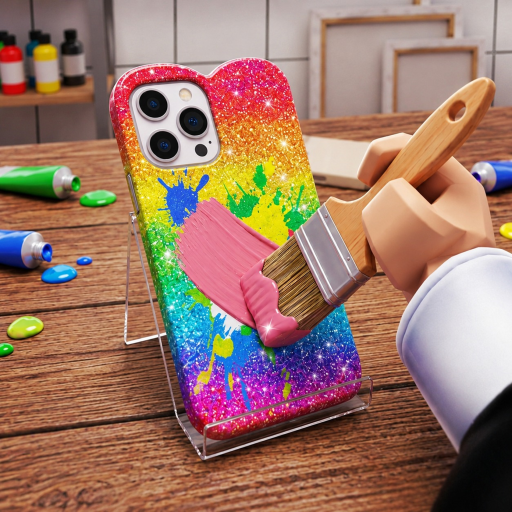
Track Make Your Phone Case patches here. The experience by Crafty Creations! launched in early October 2026 and continues to receive live updates that can change UI labels, materials, economy pacing, and social features like Caseagram. Use this hub to orient yourself after maintenance, then dive back into the relevant guides.
Live snapshot (16 November 2026 API check): roughly 4.26 million visits, 15.5k+ favorites, about 2.2k players online at sample time, and a like ratio near 1659 up / 485 down. Last Roblox “Updated” metadata pointed at 14 November 2026.
Release timeline
3 October 2026 — Launch
Make Your Phone Case entered Roblox as a free-to-play simulation / tycoon-style creative shop experience (universe 10769065052, place 100355158977562). The pitch established the full loop on day one:
- Design custom phone cases
- Sell to customers in your shop
- Auction cases online
- Go viral on Caseagram
- Hire workers
- Grow from a small shop into an empire
Servers support up to six players. Platforms ride Roblox availability across PC, Mac, mobile, and consoles.
Launch priorities for players were simple: learn the design bench, complete early sales, and locate social and menu systems. The Getting Started guide still mirrors that onboarding mindset.
14 November 2026 — Notable update window
Around 14 November 2026 the experience received a meaningful update pass (reflected in Roblox “Updated” metadata). Live games often use these windows for:
- Quality-of-life UI tweaks
- New design finishes, stickers, or shop items
- Economy pacing adjustments
- Bug fixes around sales, auctions, or Caseagram posting
- Performance improvements on lower-end devices
Exact changelog bullets can be sparse on Roblox game pages, so treat community testing plus official group shouts as supporting evidence. After any update like this, re-verify:
- Where the Codes UI sits (How to Redeem Codes)
- Whether auction listing steps changed (Sell and Auction)
- If Caseagram posting flow moved (Caseagram Guide)
- Worker hire costs or panels (Hire Workers)
- Strategy rankings (Best Strategies)
How to verify future updates yourself
- Check the Roblox game page “Updated” date.
- Read the Crafty Creations! group shout (group 821391294).
- Skim in-game patch popups on first join after maintenance.
- Test one full money loop from Make Money Fast.
- Note broken UI paths and adjust your personal checklist.
When this wiki learns confirmed feature bullets, we will expand dated sections below rather than hiding changes inside unrelated pages.
What usually changes vs what stays stable
Often changes
- Menu button placement
- New cosmetic materials
- Event motifs
- Pricing or payout tuning
- Tutorial wording
Usually stable
- Core fantasy: design, sell, auction, Caseagram, workers
- Need for readable customer-aware designs
- Value of not starving the shop for vanity upgrades
Play the fundamentals even when cosmetics rotate.
Post-update session checklist
- Complete one customer sale end-to-end
- Craft with any new materials unlocked
- Attempt one Caseagram post
- Open worker and auction UIs once
- Check Codes Hub if the shout mentioned a promo
- Skim Tier List Hub if economy feel shifted
Growth snapshot since launch
By 16 November 2026 community metrics were already substantial for a young title—4.26M+ visits, 15.5k+ favorites, concurrent samples around 2k+, and a healthy like ratio. High traffic means patches matter: more players stress-test systems and request QoL changes. After each bump, re-verify Controls and HUD, Shop Upgrades, and style rankings on the Design Styles Tier List.
Related reading after every patch
- Guides Hub — refresh mechanical knowledge
- Players Hub — hear what the community noticed first
- Links Hub — official game and group destinations
- Scripts Hub — remember that updates often break unauthorized tools
Roadmap expectations (player-side)
Crafty Creations titles often iterate in public. Reasonable expectations include more case customization options, shop upgrades, social features, and occasional promo moments. Unreasonable expectations include perfect patch notes on every Roblox metadata bump. Stay flexible.
When the next dated update lands, start here, then return to the loop that pays: design well, sell steadily, market on Caseagram, and staff the gaps.
Frequently Asked Questions
Quick answers to the most common questions.
When did Make Your Phone Case release?
The experience released on 3 October 2026 as a free-to-play Roblox game by Crafty Creations!
What happened on 14 November 2026?
Roblox listed a notable update around that date. Re-check UI paths for codes, auctions, Caseagram, and workers after maintenance windows like this.
Where are official patch notes?
Check the Crafty Creations! group shout and in-game popups. Roblox game pages sometimes show only an Updated date without a full changelog.
What should I do after an update?
Run one full design-sell-post loop, verify key menus still match the guides, and adjust strategies if payouts or tools changed.
Do updates break scripts?
Often yes. Unauthorized tools break frequently after patches, which is another reason to rely on normal gameplay systems.